
How to Use the Wavytalk Steamlift Pro: Setup, Technique, Safety and Care
 By Ashley Rubell Published Updated
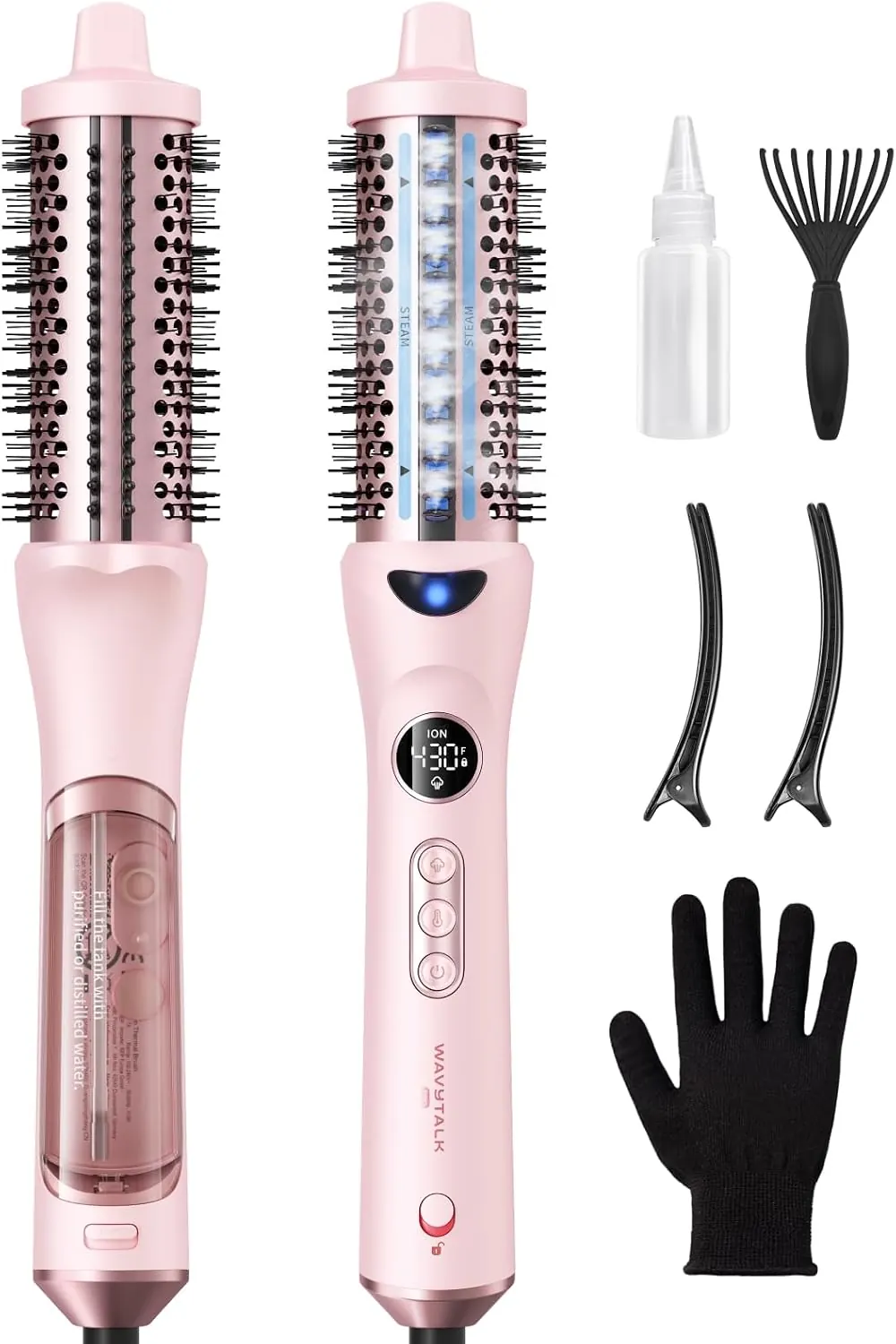
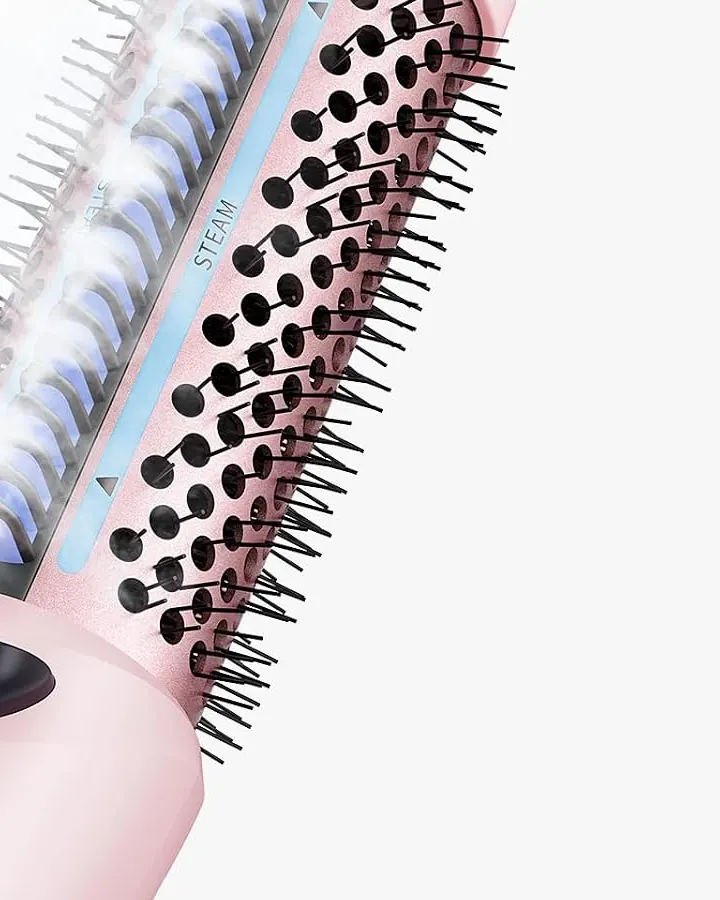
The Steamlift Pro has more going on than a plain heated round brush: a water tank, adjustable steam, five heat settings, a control lock and an auto shut-off. Most "how do I use this" questions come down to one of those parts. Why isn't any steam coming out? Why won't the temperature change? Can I use tap water?
This walkthrough follows the tool in order: what's in the box, filling the tank, the controls, the styling technique Wavytalk demonstrates, then safety, cleaning and fixes for common problems. The steps and specs come from Wavytalk's product page, its tutorial steps and its product FAQ.
What comes in the box
Wavytalk lists five items:
- Steamlift Pro steam thermal brush
- 2 hair clips
- Water dropper
- Cleaning brush
- Heat-resistant glove
Keep the dropper and the cleaning brush with the tool. You'll need the dropper every session and the cleaning brush every few.
Step 1: Fill the tank (with the right water)
The water tank sits on the back of the handle. Fill it with the dropper from the box.
Use purified or distilled water only. Wavytalk is firm about this in its FAQ: no tap water and no mineral water. Minerals build up inside over time and affect how the tool works. If you style with steam often, keep a bottle of distilled water next to the brush so you're never tempted to top up from the tap.
According to Wavytalk, one full tank gives up to about 30 minutes of continuous steam. That's enough for a whole styling session for most people.
Step 2: Learn the controls before you plug in
| Control or feature | What it does |
|---|---|
| Five heat settings | 300°F to 430°F, shown on an LED temperature display |
| Steam control | Adjustable, and it can be turned off for heat-only styling |
| 5-second auto-lock | Locks your settings after 5 seconds without a button press |
| Temperature memory | Keeps the setting you used last |
| 30-minute auto shut-off | Turns the brush off after 30 minutes |
| Button feedback | Wavytalk describes the brush as audible, with button feedback |
The auto-lock confuses a lot of people at first. If you press a button mid-style and nothing changes, the brush hasn't failed. It has locked your setting so a stray thumb can't change it. Unlock it before you adjust anything. The temperature memory means your next session starts at the same setting, which helps once you've found the right one.
Heat-up takes about 30 seconds, according to Wavytalk.
Step 3: Prep your hair
- Make sure hair is completely dry. Wavytalk says plainly that the Steamlift Pro is for dry hair and isn't a hair dryer. If you washed your hair, dry it first with something like the Blown Away Ionic Hair Dryer.
- Detangle roughly. The 3D comb teeth are designed to detangle as you style, but it helps to start without big knots.
- Section with the clips. Clip the top layers up and work from the bottom of the head toward the crown. Keep each section about as wide as the barrel.
Wavytalk pitches the brush both for full styling on clean hair and for touch-ups between wash days. On a second-day touch-up you might only redo the front sections and the crown.
Step 4: Choose heat and steam
Wavytalk's general rule is that lower heat suits fine or delicate hair, and higher heat reshapes thicker, coarser textures. Steam is for added smoothness on dry or frizz-prone hair. Turn it off if your hair doesn't need extra moisture.
- New to the tool: Start at a lower setting than you think you need.
- Raise the heat in steps, and only for sections that won't hold.
- If you're not sure where your hair falls, the hair-type breakdown in Steamlift Pro for curly, fine or thick hair gives a starting point for each type.
Step 5: The wrap, glide and roll technique
After filling the tank, Wavytalk's tutorial comes down to three moves. The last one is split in two here because the release matters.
- Wrap at the root. Place the barrel under a section at the root, with the 3D comb teeth facing into the hair.
- Glide slowly. Draw the barrel down the length of the section. Slow is the key word, because the heat, steam and tension need time on the hair. A fast pull just combs it.
- Roll back up and hold. When you reach the ends, roll the barrel back up toward the root and hold for a moment.
- Untwist to release. Turn the brush the opposite way to unwind the hair rather than pulling it straight out. That keeps the bend you just made.
For more root volume, spend longer on step 3 at the crown. For a smoother, straighter finish, use mostly step 2 and skip the roll on the lengths.
Step 6: Safety features, and how to use them well
- Anti-scald silicone tip. Wavytalk designed the tip so you can work closer to the scalp with more confidence. It's still a heated tool, so keep the hot barrel off your skin.
- Steam channels between the comb teeth. Wavytalk says steam comes out between the teeth so it doesn't hit the scalp directly in normal use.
- Heat-resistant glove. Wear it on your guiding hand, especially at the back of the head where you can't see.
- Anti-roll design. The brush is designed not to roll when you set it down. Still put it on a heat-safe surface.
- 360° swivel cord. This keeps the cord from twisting as you rotate the brush through sections.
- 30-minute auto shut-off. This is a backup. Switch the brush off yourself when you finish.
Step 7: After styling: cooling, storage and cleaning
- Switch off, unplug, and let the brush cool completely before you touch the barrel or bristles.
- Use the included cleaning brush to remove hair caught in the bristles. Wavytalk includes it for that job.
- Don't refill with tap water between sessions. Only ever use distilled or purified water.
- Store it dry with the cord loose, not wrapped tightly around the handle.
Troubleshooting
"I can't see any steam." That's normal. Wavytalk says nano steam particles are much smaller and less visible than regular steam. To check, point the brush at a mirror and look for mist on the glass.
"The temperature won't change." The 5-second auto-lock has probably engaged. Unlock it, adjust, and it will lock again after 5 seconds.
"My hair feels damp." Wavytalk says the nano steam shouldn't leave hair wet. If it does, your hair probably wasn't fully dry to begin with, or you're working with sections that are too large. Dry fully, use smaller sections, and try less steam.
"It switched off by itself." The 30-minute auto shut-off has kicked in. Turn it back on to finish.
"Can I use it on wet hair?" No. Wavytalk's FAQ says it's for dry hair only and has no dryer function.
"The steam got weaker over time." First make sure the tank isn't empty. If you've been using tap or mineral water, mineral buildup is what Wavytalk warns about.
Using it while you travel
Wavytalk lists the Steamlift Pro as dual voltage, 100–240V. Abroad you only need a plug adapter for the local outlet, not a voltage converter. Pack distilled water or buy some when you arrive, because hotel tap water is still tap water.
Where to go from here
- Full specs, pros and cons: Steamlift Pro Thermal Brush
- What a steam thermal brush is for, and when another tool is the better pick: steam thermal brush blowout guide
- The rest of the range: Wavytalk review
The current price is on the shop page, and it changes from time to time.